Claude 桌面版
在 Fast-Token 中使用 Claude 桌面版
保持未登录状态(或先退出账号)
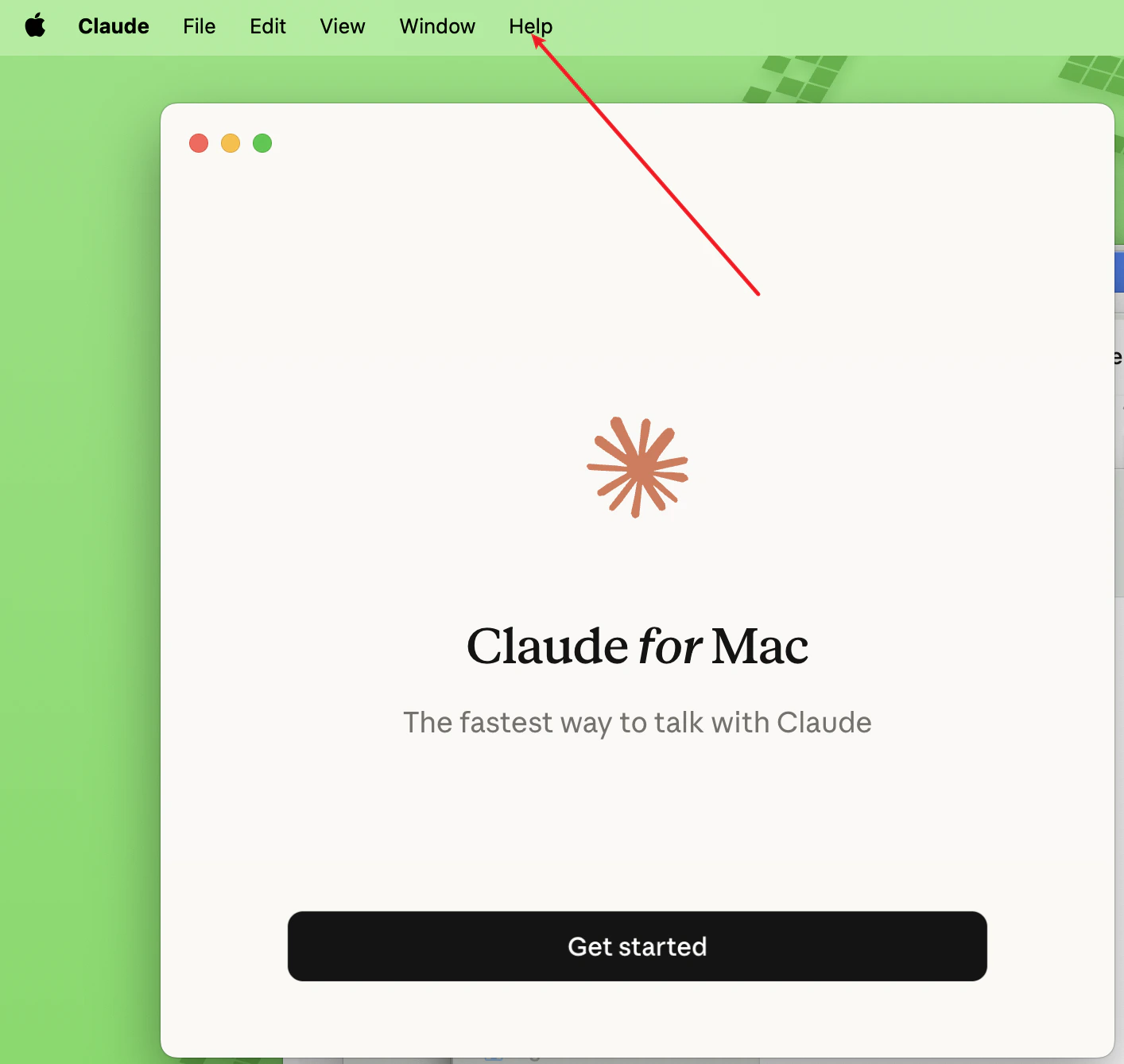
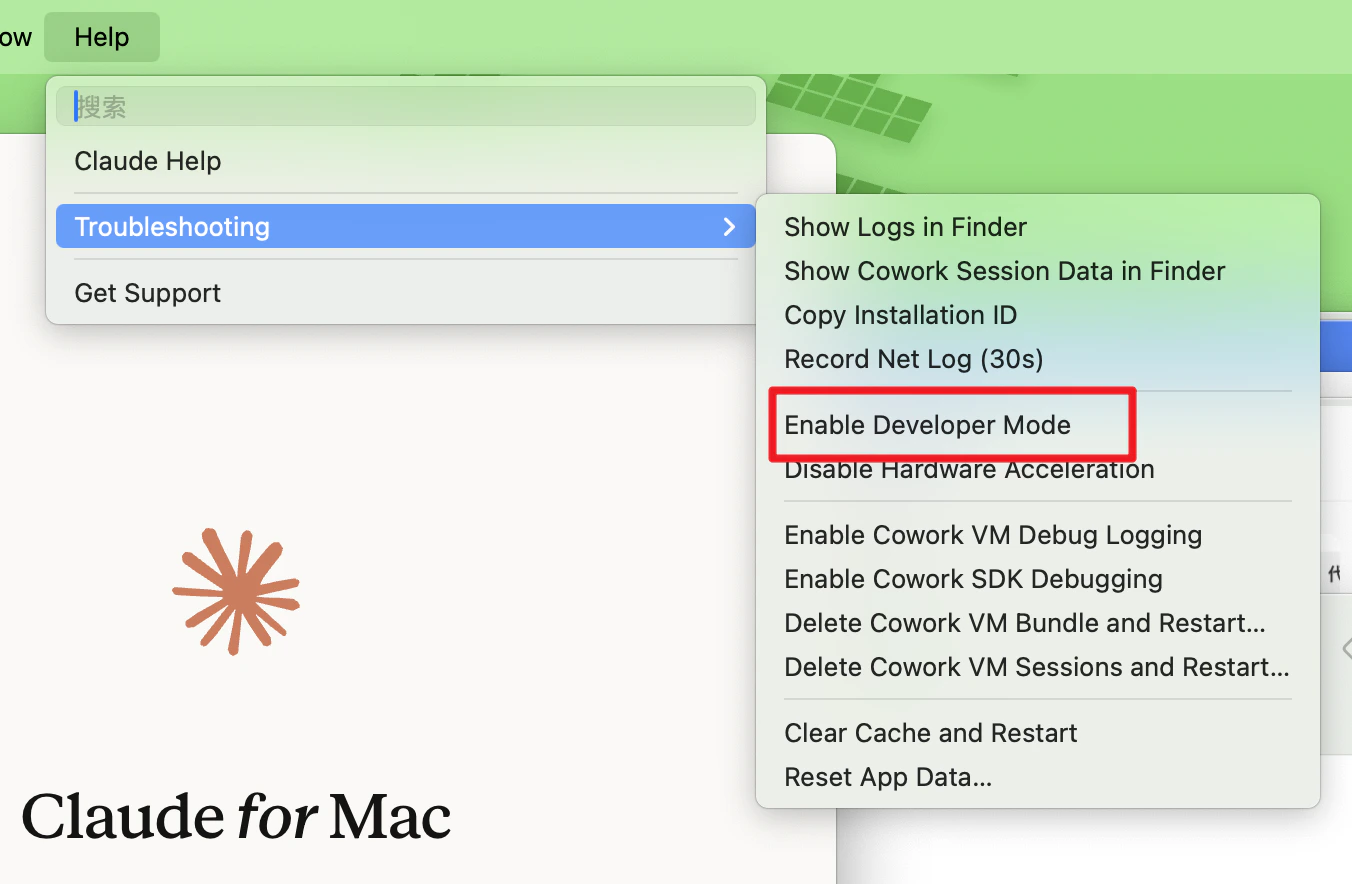
- 点击菜单 → Help → Troubleshooting → Enable Developer Mode
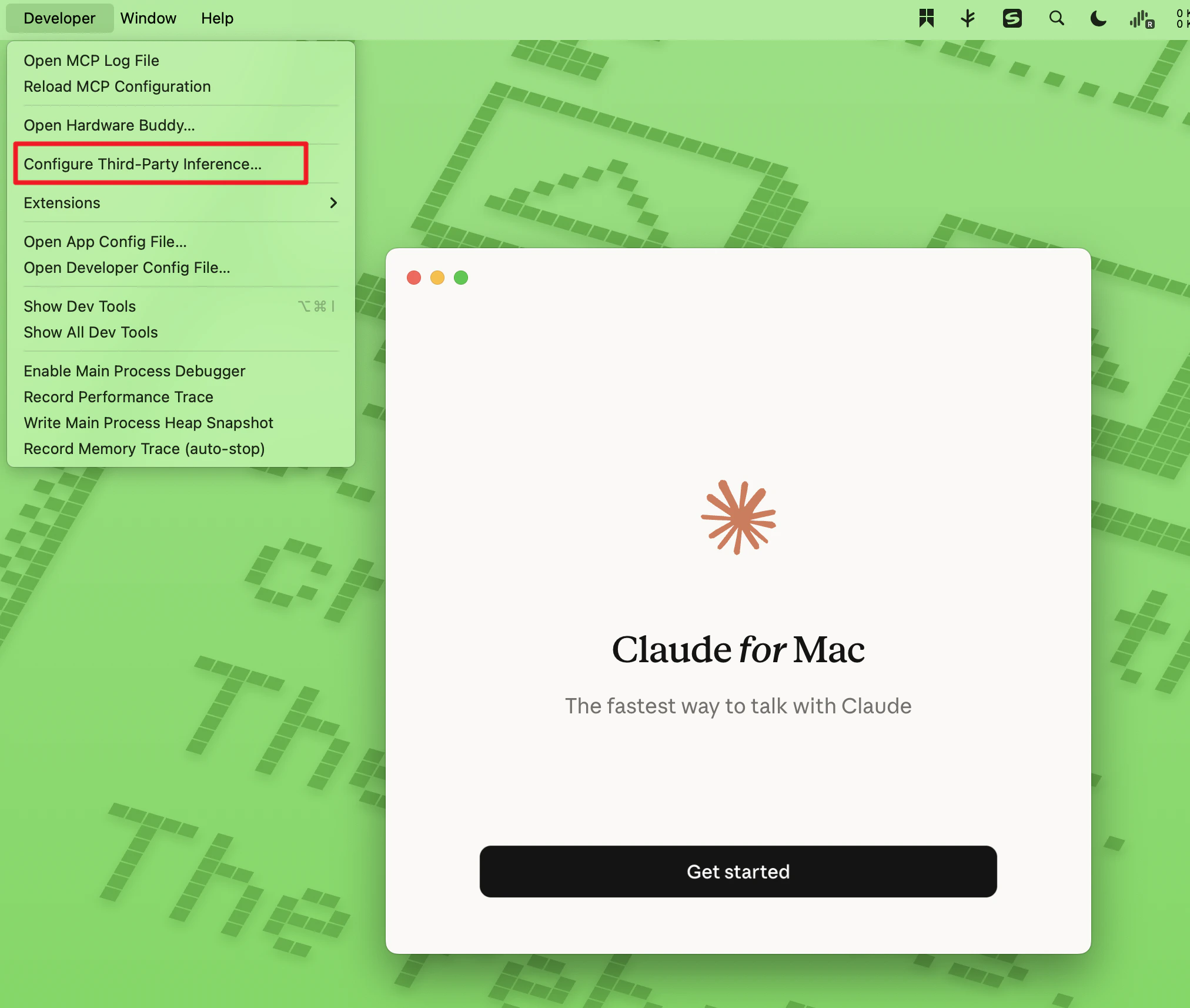
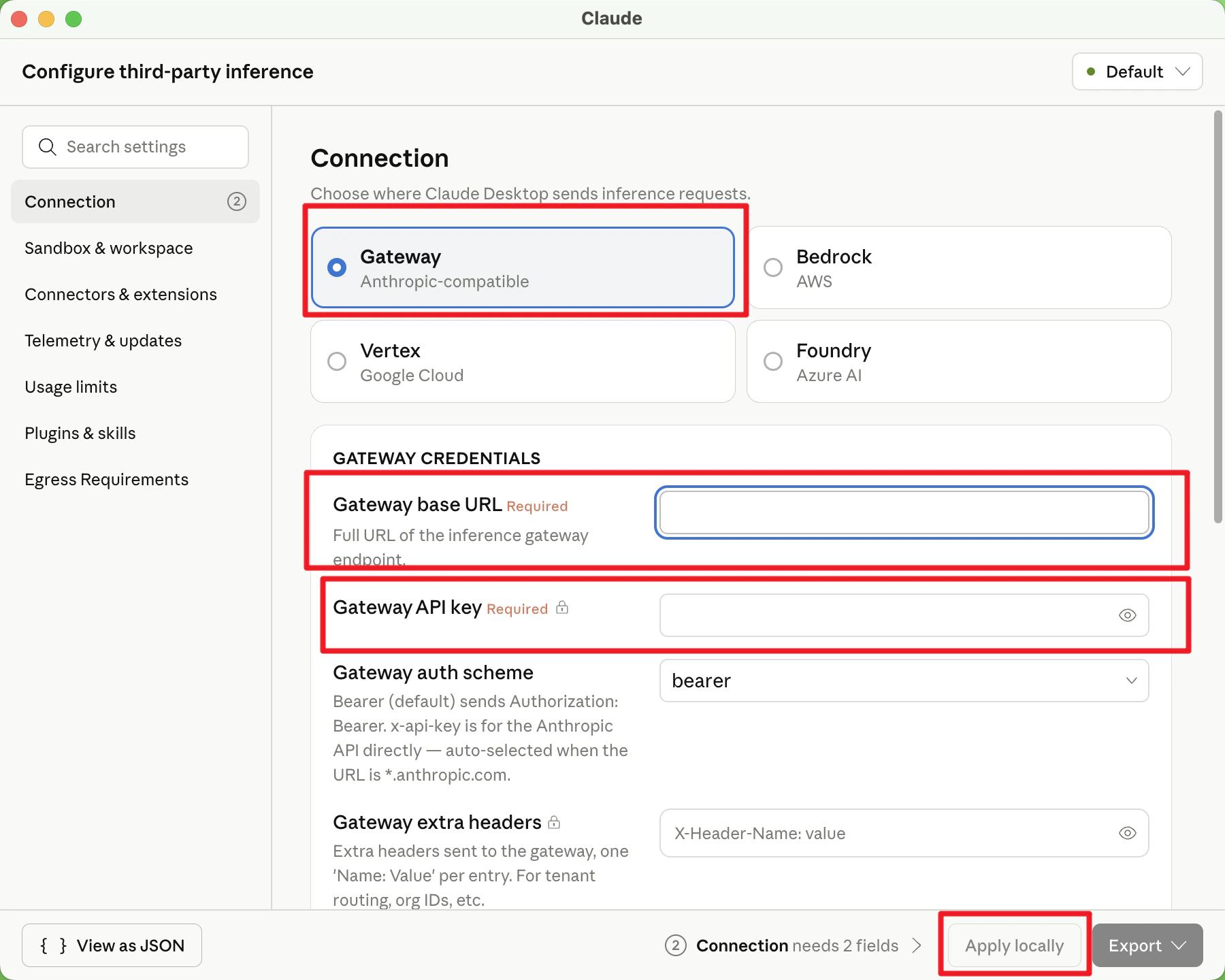
- 经过第一步的操作后菜单栏会多出一个 Developer 菜单,点击 Configure Third-Party Inference
- 默认选择 Gateway 填写
- Gateway base URL:https://fast-token.com/
- Gateway API key:从 Fast-Token 平台 获取的 API Key
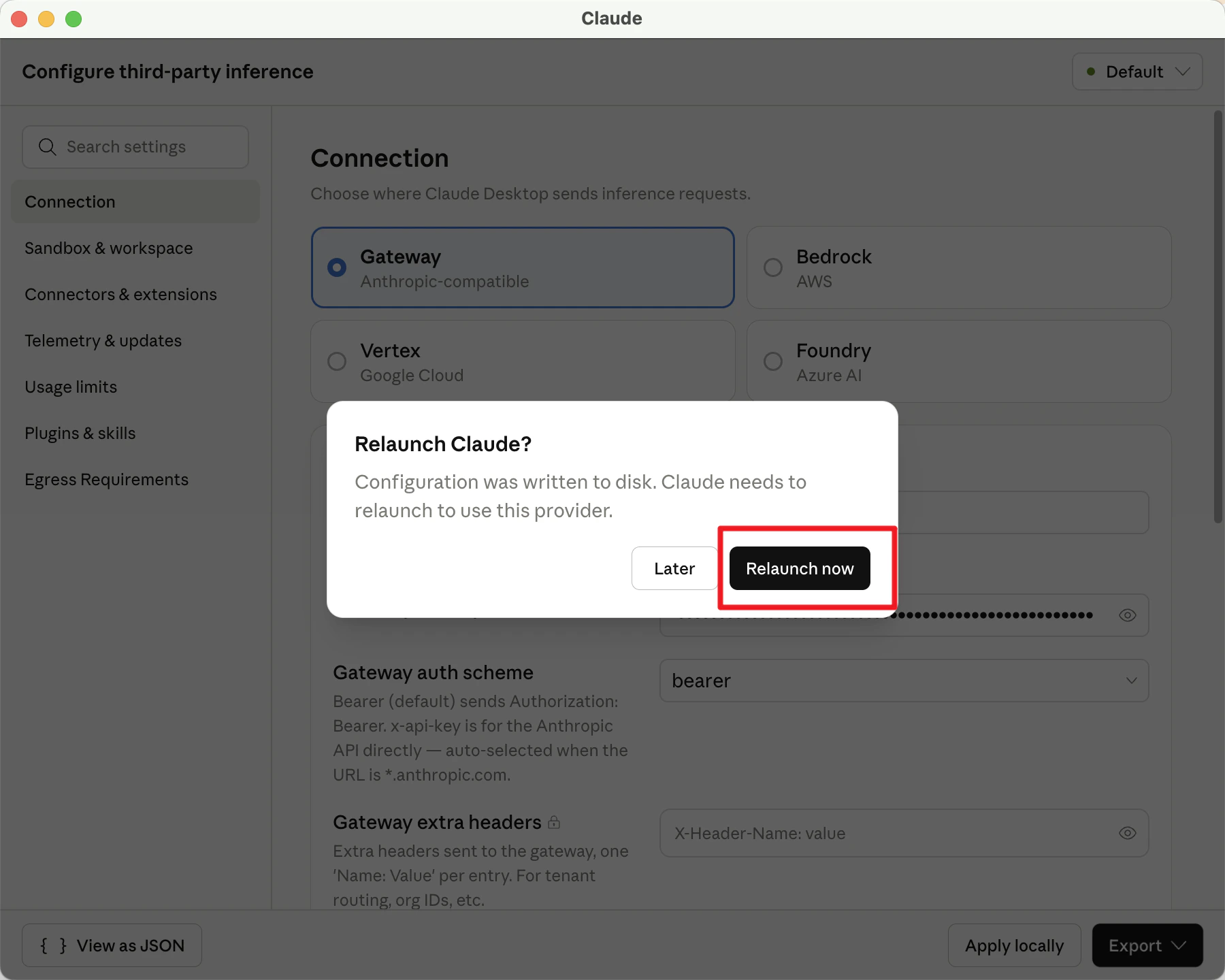
其他不用动,点击 apply locally,弹窗点击 relaunch now
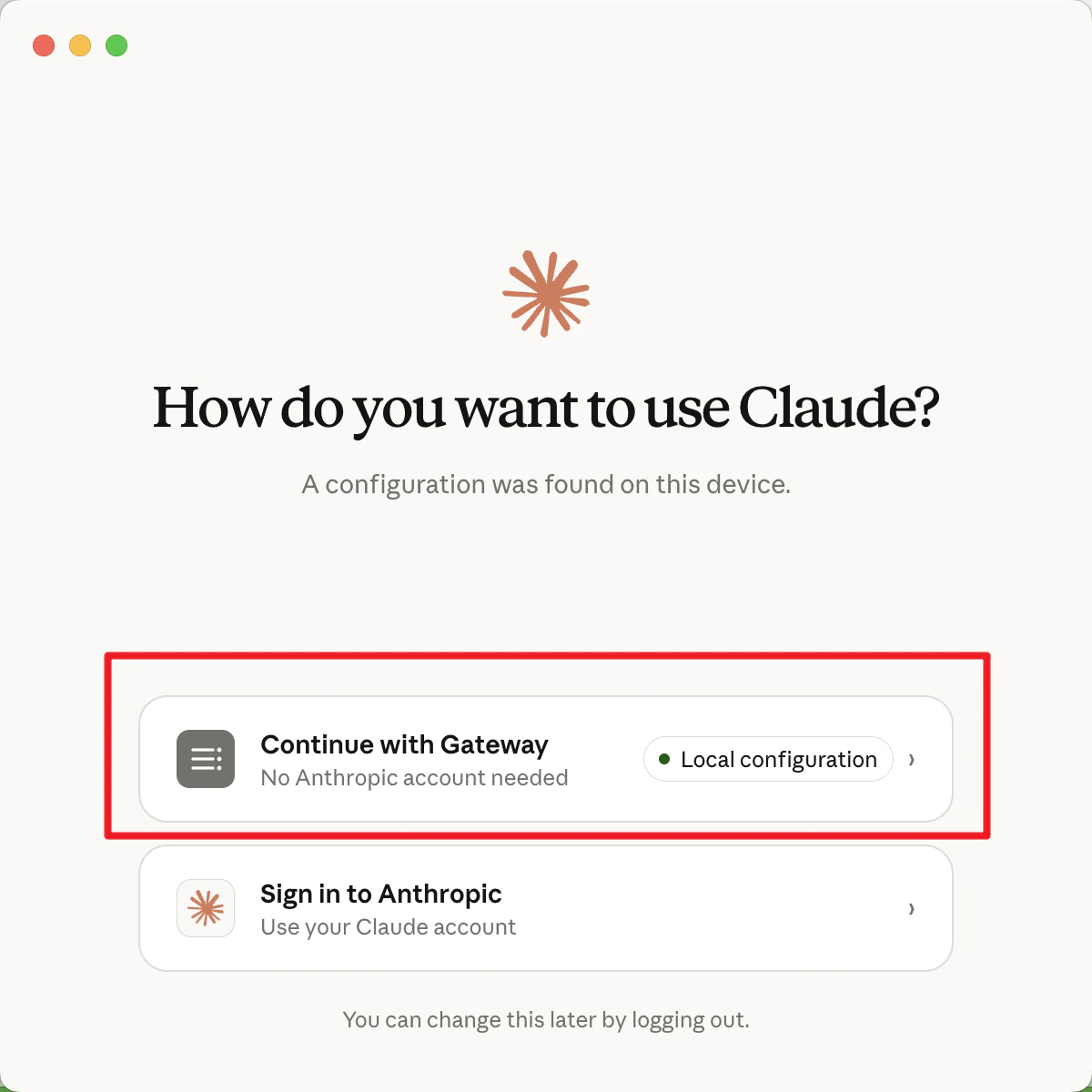
- 点击 Continue with Gateway
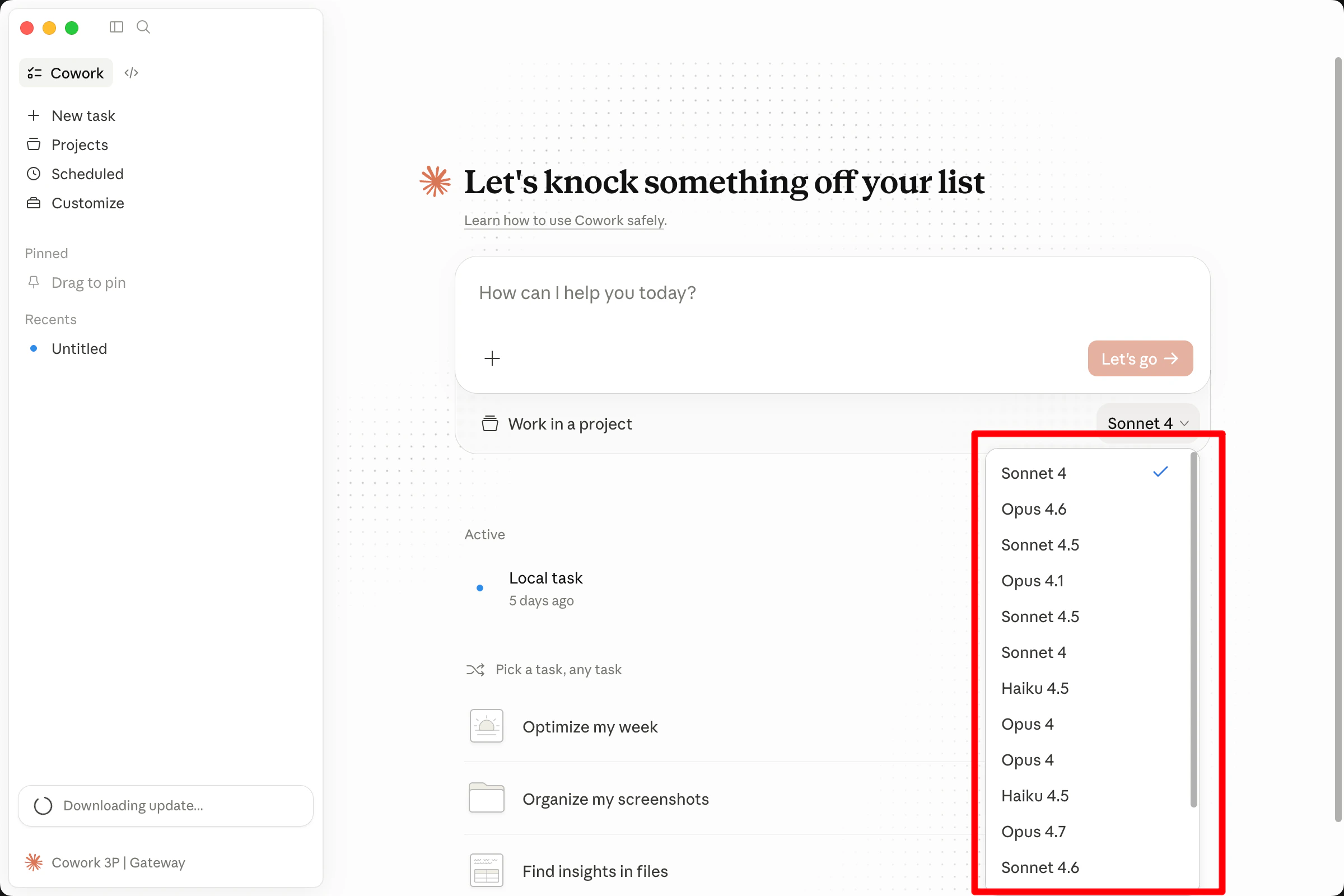
- 对话框下方选择要使用的模型,即可开始使用