
Qwen Code
Power Qwen Code with any large language model on the Fast-Token platform.
Quick setup guide
1. Install the npm package globally
Make sure Node.js is version 20 or later, then run in your terminal:
npm install -g @qwen-code/qwen-code
qwen --version
For more details, see the official repository.
2. Environment variables
Set your Fast-Token API key and relay base URL in system environment variables. You can generate a key on the Fast-Token Keys page.
For example, add the following to ~/.zshrc:
# Replace <Fast-Token_API_KEY> with the key from the Fast-Token platform
export OPENAI_API_KEY="<Fast-Token_API_KEY>"
export OPENAI_BASE_URL="https://fast-token.com/v1"
export OPENAI_MODEL="your_model"
TIP
On Mac, press ⌘ + ⇧ + . in your home directory to show hidden files, then open .zshrc in TextEdit and add the content above.
3. Apply the configuration
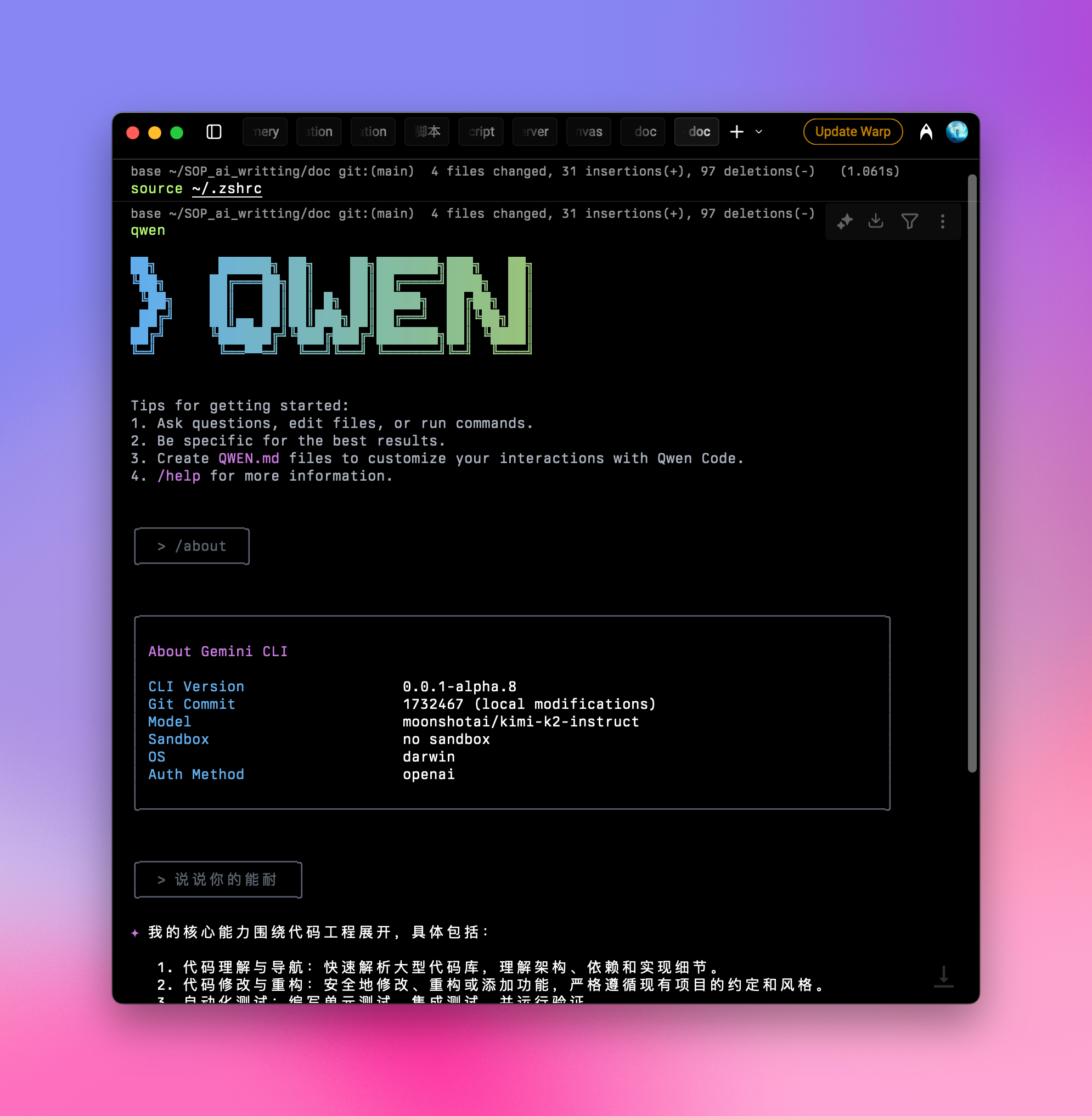
After saving, run source ~/.zshrc in the terminal and press Enter.
4. Launch and use
In the terminal, run:
qwenAfter it starts, type /about and press Enter to confirm the setup. You will see the current version and the selected model:
INFO
Some users report that Qwen Code may occasionally hang. We recommend setting a limited quota on your API key to avoid unnecessary spend.
You can then use it as usual.