Void Editor
Void Editor is an open-source, privacy-first AI code editor (an open-source alternative to Cursor). It can connect to third-party APIs via the OpenAI-compatible protocol, so you can use any provider with an OpenAI-compatible endpoint—such as DeepSeek, OpenRouter, OneAPI, or Fast-Token.
Prerequisites
Before you begin, make sure you have:
- API Key: Obtained from the Fast-Token platform.
- Base URL: The base endpoint for API requests (for example
https://fast-token.com/v1). - Model name: The exact model ID you want to use (for example
deepseek-chat).
Configuration
1. Open settings
- Launch Void Editor.
- Click the gear icon (Settings) in the bottom-left corner.
- Select the first option, Void's Settings.
2. Configure OpenAI-compatible protocol (most common)
Most third-party API gateways and domestic models support the OpenAI protocol.
- On the Void settings page, find the Main Providers list.
- Select OpenAI Compatible.
- Enter Base URL:
- Find the
Base URLfield. - Paste your provider's endpoint. Note: it usually must end with
/v1.
- Find the
- Enter API Key:
- Enter your key in the
API Keyfield.
- Enter your key in the
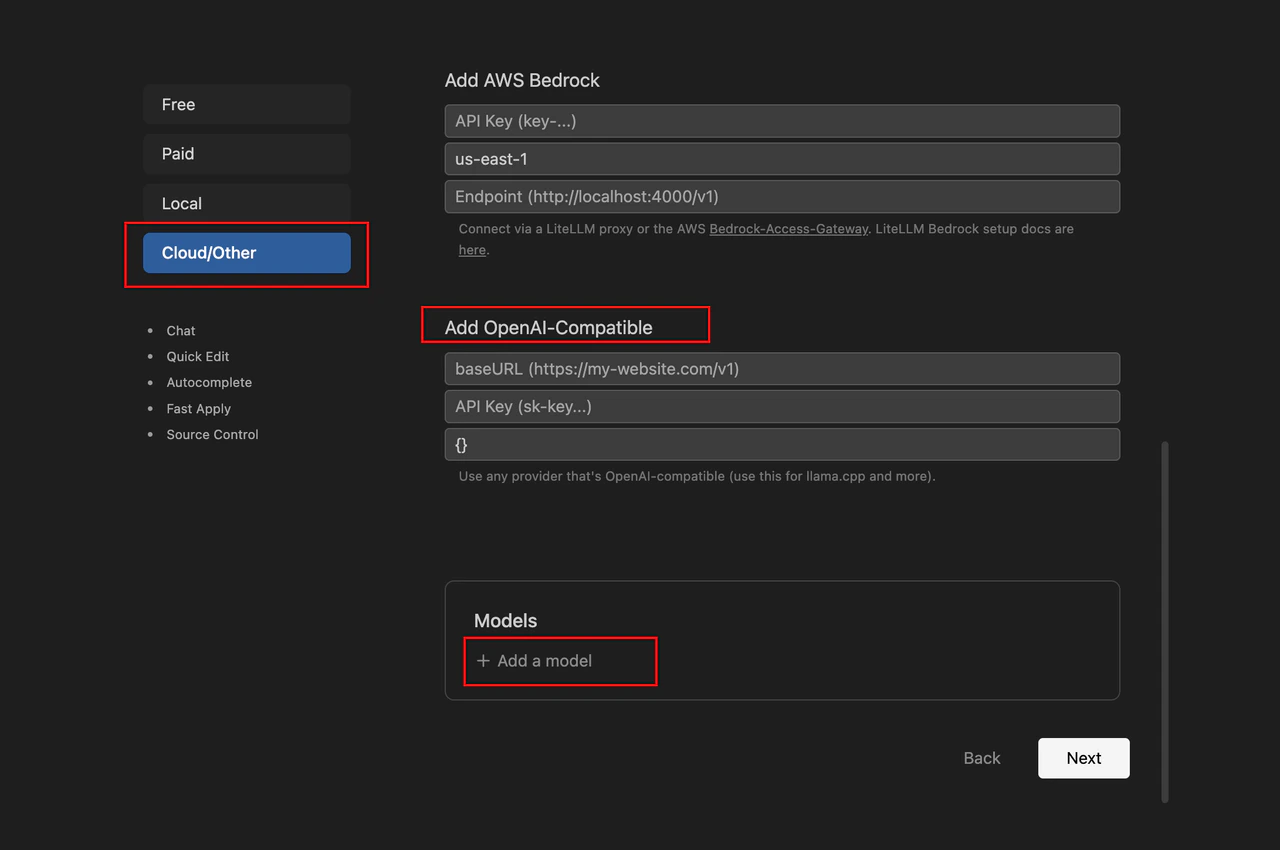
- Add models:
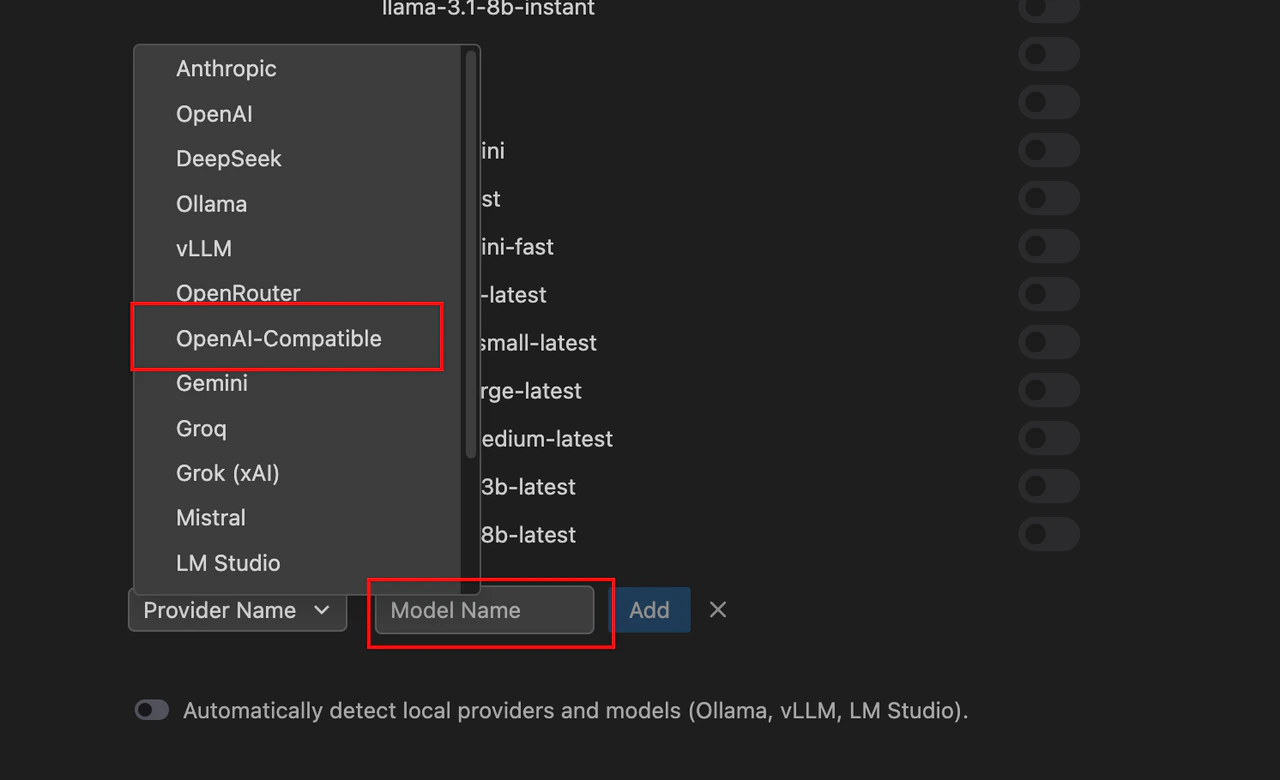
- In the models section, click Add Model.
- Enter the real model ID from the API (for example
deepseek-reasonerorclaude-3-5-sonnet).
Using chat
After configuration:
- Press
Ctrl + L(Windows) orCmd + L(macOS) to open the sidebar chat. - In the model dropdown above the chat input, select the third-party model you added.
- Send a code snippet or instruction to test.
Troubleshooting
| Symptom | Possible cause | Solution |
|---|---|---|
| Authentication Error (401) | Invalid API Key | Check that the key was copied in full, with no leading or trailing spaces. |
| Resource Not Found (404) | Incorrect Base URL path | Try adding or removing /v1 at the end of the URL. |
| Connection Timeout | Network restrictions | Check whether a proxy is required, or whether the API URL loads in your browser. |
| Model Not Supported | Wrong model ID | Confirm the model ID spelling matches what your provider documents exactly. |
Pro tip
Void's main advantage is that it does not route requests through a relay server—it sends requests directly from your computer to the provider. If you use it on a corporate network, configure Proxy in Void's network settings; otherwise connections may fail.