
OpenAI Codex
Use Codex with the Fast-Token API
Installation
Download from the official site (macOS)
Install via the command line
bash
npm install -g @openai/codexEnvironment variables
Configure with config files
- Edit
~/.codex/config.tomland add:
toml
profile = "Fast-Token"

["model_providers.Fast-Token"]
name = "Fast-Token"
base_url = "https://fast-token.com/v1"
personality = "pragmatic"
wire_api = "responses"

["profiles.Fast-Token"]
model = "gpt-5.2"
model_provider = "Fast-Token"
model_reasoning_effort = "high"- Edit
~/.codex/auth.jsonand set:
json
{
  "OPENAI_API_KEY": "<Fast-Token_API_KEY>"
}
Configure with CC-Switch
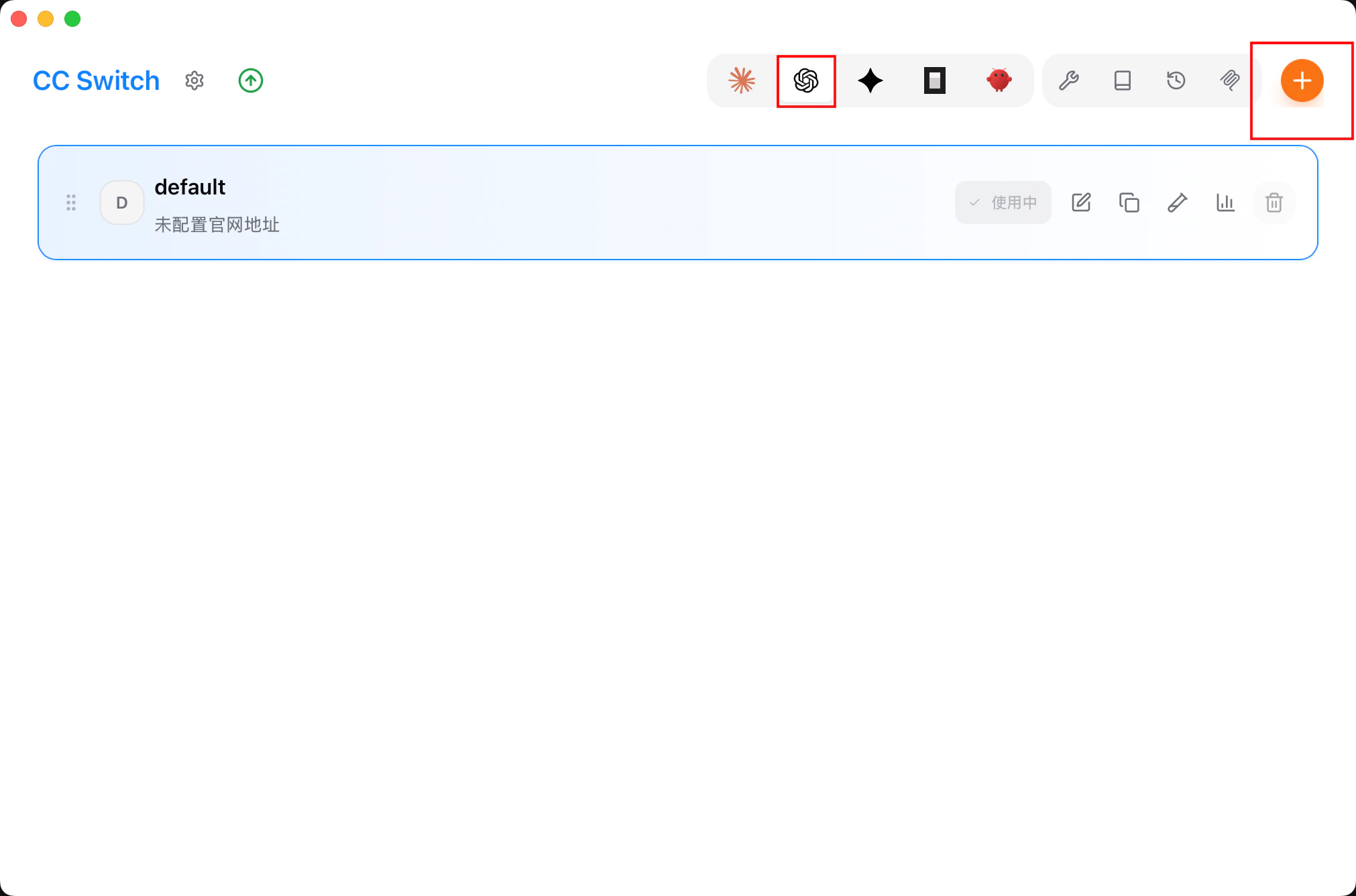
- Run CC-Switch and add a provider.
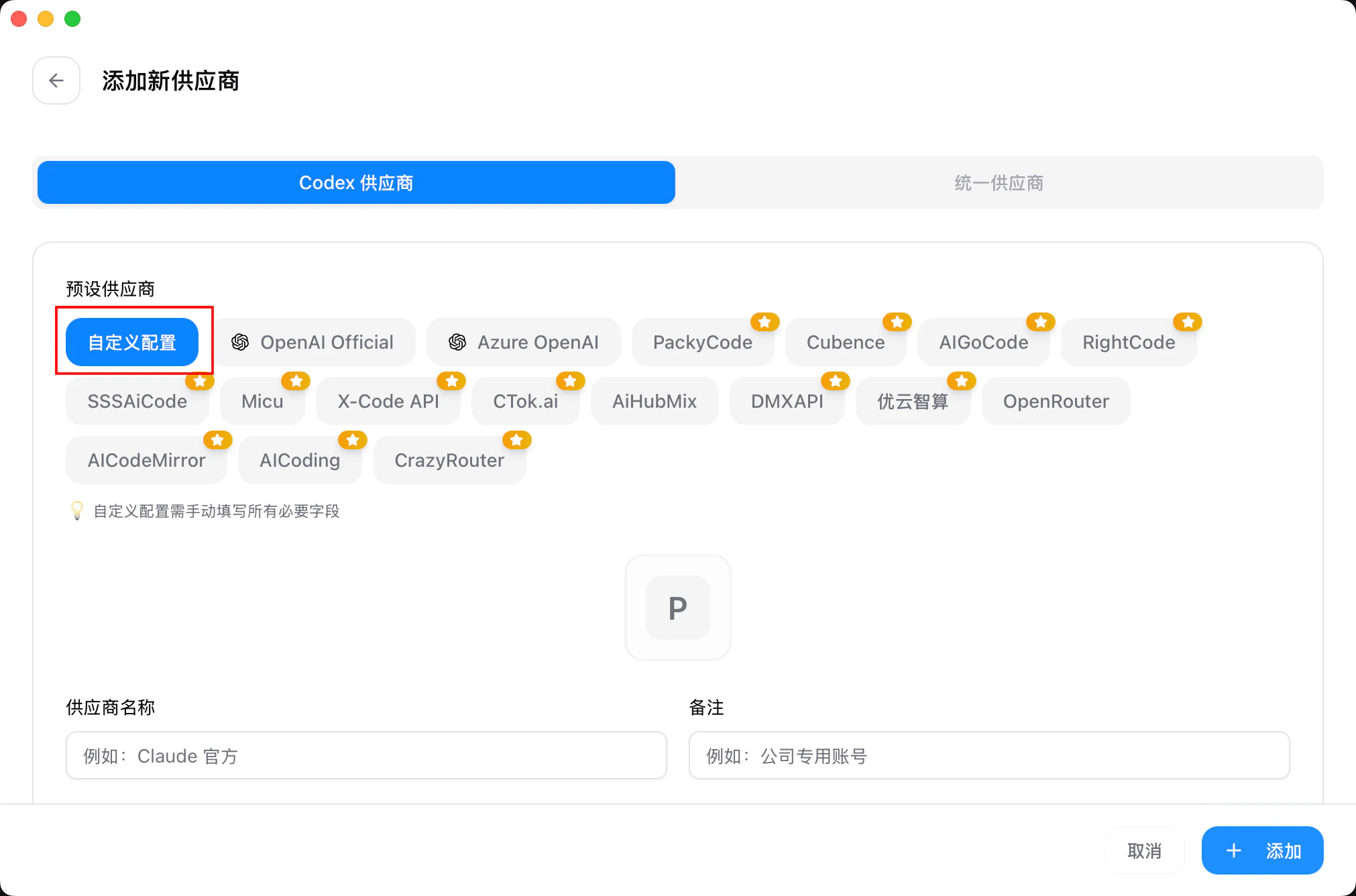
- In the preset list, select Fast-Token.
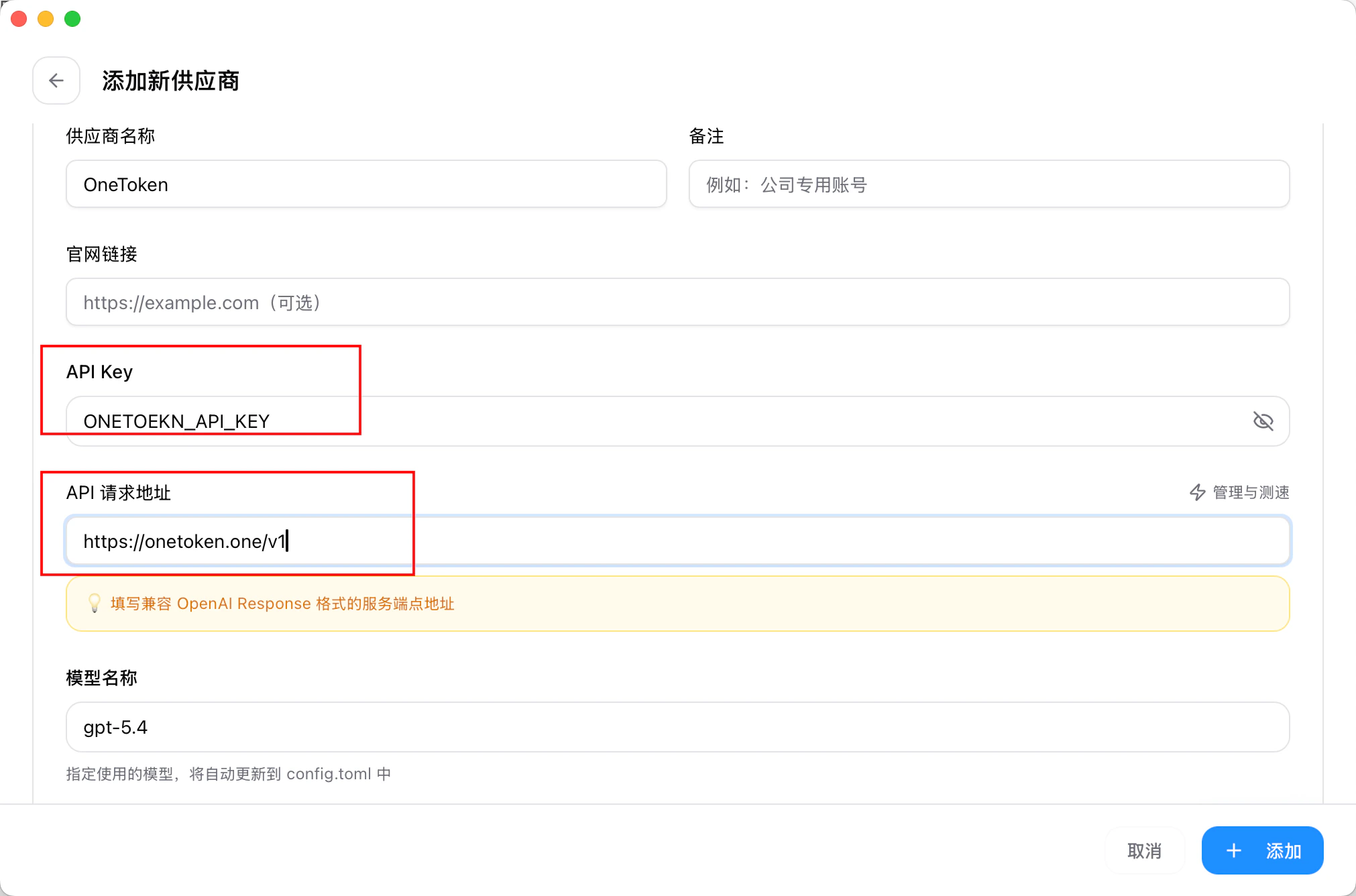
- Enter your API key in the API Key field and click Add to save.
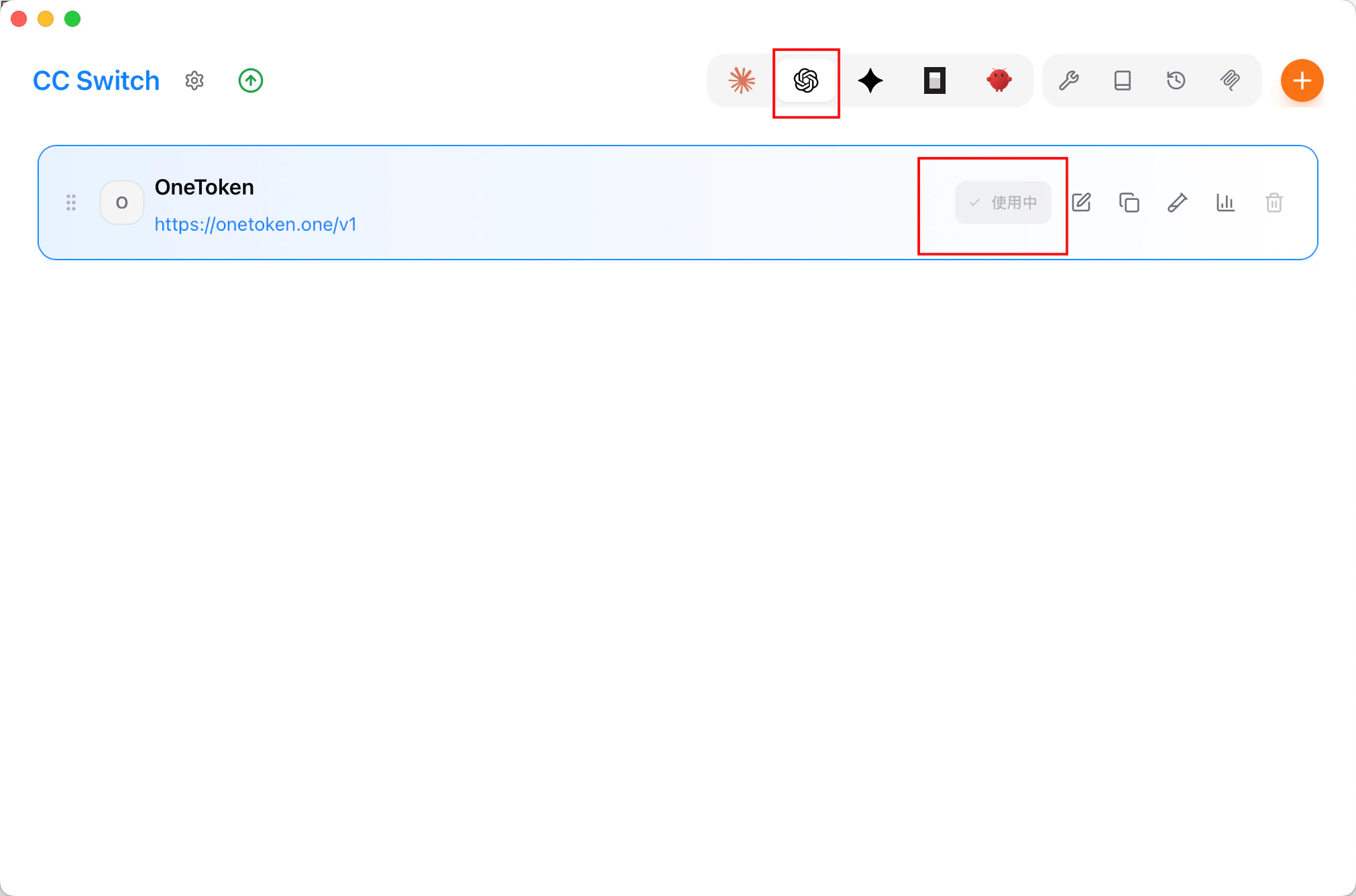
- Return to the home screen, select Fast-Token in the provider list, and click Enable.
Using Codex
In the terminal
- Open a terminal, go to your project directory, and run
codex.
bash
cd /path/to/your/project
codex- Set permissions as needed.
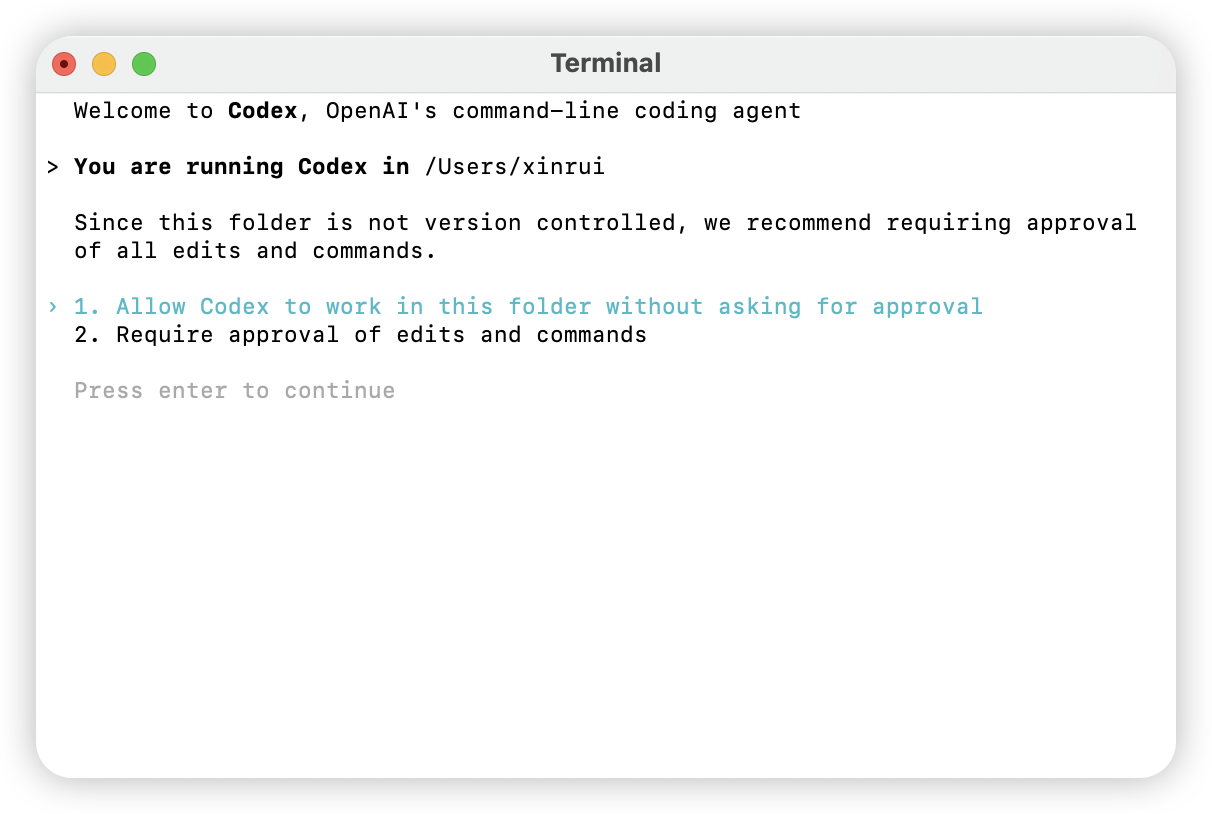
- Choose the model you want to use.
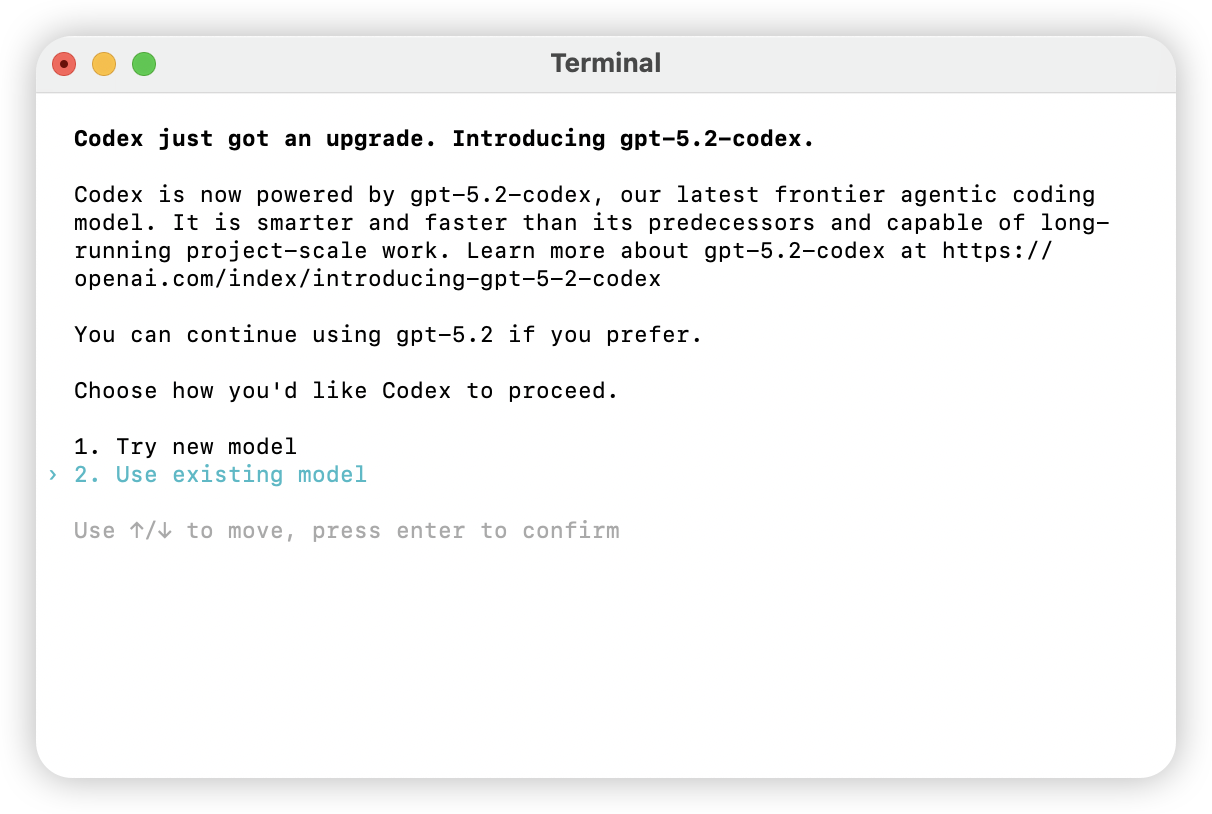
- Enter a natural-language prompt. If you get a normal response, setup is complete.
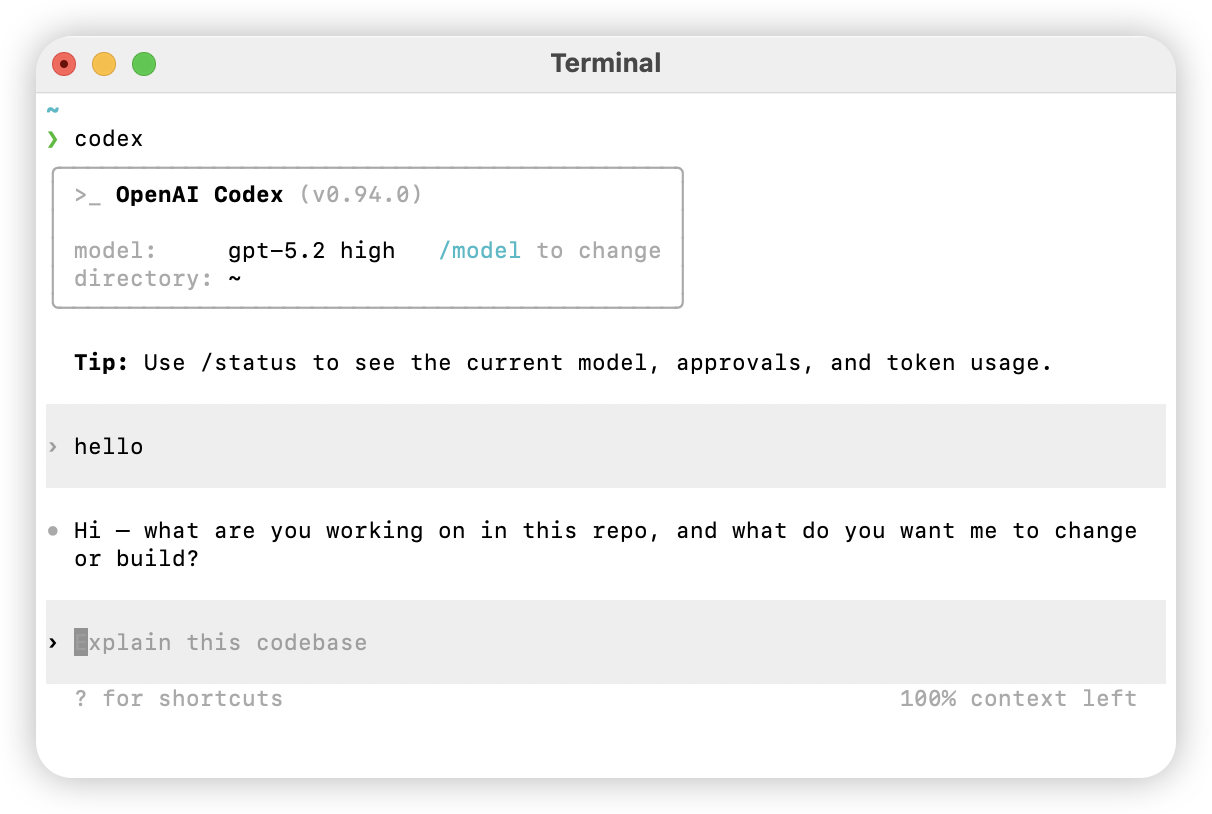
In the Codex desktop app
- Open the Codex desktop app and choose a working directory.
- Enter a task in the input box. If you get a normal response, setup is complete.

Useful commands
Help
bash
codex -hFull option list
text
Usage
  $ codex [options] <prompt>

Options
  -h, --help                 Show help and exit
  -m, --model <model>        Model to use (default: codex-mini-latest)
  -i, --image <path>         File path for image input
  -v, --view <rollout>       View a previously saved session
  -q, --quiet                Non-interactive mode; print only the assistant's final output
  -a, --approval-mode <mode> Override approval policy: 'suggest', 'auto-edit', or 'full-auto'

  --auto-edit                Auto-approve file edits; still prompt before commands
  --full-auto                Auto-approve edits and commands in the sandbox

  --no-project-doc           Do not auto-include the repo's 'codex.md' file
  --project-doc <file>       Include the given Markdown file as context
  --full-stdout              Do not truncate command stdout/stderr

Dangerous options
  --dangerously-auto-approve-everything
                             Skip all confirmations and run commands (no sandbox)
                             For temporary local testing only

Experimental options
  -f, --full-context         Start in "full context" mode: load the whole repo into context
                             and apply batch edits in one step
                             Only works with --model

Examples
  $ codex "Write and run a Python program that prints ASCII art"
  $ codex -q "Fix the build"